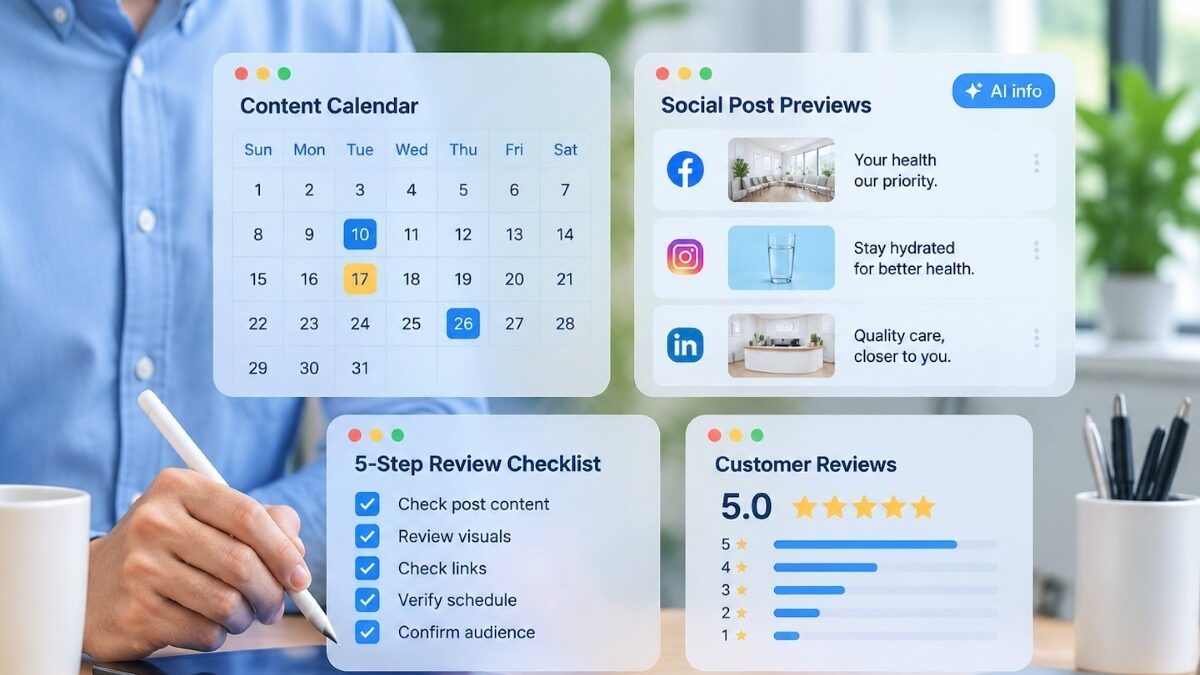
“We post on Facebook and Instagram a few times a month, and it takes longer than it should. Can we let ChatGPT write the posts?”
Yes, with limits. An artificial intelligence (AI) chatbot such as ChatGPT can draft posts, write caption variations, build a content calendar, and turn an approved blog post into a month of social content. It should not create images that could be mistaken for your patients, your staff, your office, or your results, and it should not answer the comments and direct messages that patients send you. A staff member still checks every post before it goes live.
This article covers the social media tasks AI can handle, the image types to avoid, how Meta labels AI content on Facebook and Instagram, and the checks a post needs before it is scheduled. It builds on our article on building an AI content workflow. It also assumes your staff follow the rules for using AI chatbots under the Health Insurance Portability and Accountability Act (HIPAA). Under those rules, no patient information is entered into the chatbot.
How to use AI for social media
The most useful social media task for an AI chatbot is repurposing content your practice has already approved. A reviewed blog post or service page contains facts that a provider and a staff member have already checked. The chatbot can turn those facts into a series of posts without introducing new claims. Ask the chatbot for five posts from one article, with one point per post. Those five posts are most of a month’s content, and the article they come from has already passed review. This is the same repurposing step that makes content marketing for medical practices sustainable.
The chatbot can also write caption variations for each platform. The same message needs a shorter caption on Instagram, a longer one on Facebook, and a plain factual version for a Google Business Profile post. The chatbot produces all three from one approved paragraph. It can draft a content calendar that spaces posts across the month and matches them to seasonal topics. Flu vaccines in the fall and sports physicals before the school year are two examples. It can also write alt text for images. Alt text describes the image for patients who use screen readers.
One formatting problem comes up often. AI chatbots format text with markdown. Markdown uses asterisks to mark bold text. Instagram, X, and Google Business Profile do not interpret markdown. A caption pasted directly from a chatbot shows the asterisks as literal characters on those platforms. Ask the chatbot for plain text, or remove the asterisks before posting.
For example, a practice might publish a reviewed article on what to expect at a first physical therapy visit, then ask the chatbot for five Instagram captions, five Facebook posts, and two Google Business Profile updates based on that article. The office manager removes the markdown, checks each post against the article, and schedules them over four weeks. The drafting takes a few minutes, and the facts were checked when the article was reviewed.
Should you use AI to create images?
Yes for some images and no for others. AI image tools work well for graphics, backgrounds, illustrations, and text layouts. Two examples are a graphic announcing extended hours and an illustration for a post about hydration. They should not be used to create images of people presented as your patients or staff, before-and-after or results images, or clinical scenes presented as your office. An AI-generated image of a smiling patient in an exam room implies that the person and the scene are real, and a patient who later learns otherwise has a reason to doubt the rest of your content.
Real photos of your team and your office show patients the actual place they will visit. A generated image or an illustration cannot show them that place. A short photo session once or twice a year produces enough images for a year of posts.
Meta applies an “AI info” label to content on Facebook, Instagram, and Threads when it detects industry-standard AI signals in an image, video, or audio file, or when the person posting discloses that AI was used. Meta’s newsroom explains the policy, and the Instagram Help Center explains how to add the label when you post. For content that was only edited with AI tools, the label appears in the post’s menu rather than on the post itself. The rules have changed several times since 2024. Check Meta’s Help Center before posting realistic AI-generated video or audio, and assume that an AI-generated image may carry a label whether or not you add one.
Patient photos never go into an AI tool. Simple edits, such as brightening a photo or removing its background, are included in that rule. A full-face photograph is one of the eighteen identifiers listed under HIPAA, and uploading it to a consumer AI tool sends it to a vendor that has no business associate agreement (BAA) with your practice.
Should you use AI to write posts?
Yes, if the draft comes from your knowledgebase. The knowledgebase is the collection of verified documents about your practice that our article on building an AI content workflow describes. A post drafted from the knowledgebase uses your actual services, providers, and wording. A post drafted from a one-line prompt uses whatever the chatbot assumes a practice like yours offers.
Any post that makes a health claim goes through the same review as a blog post. A caption that says a treatment relieves a symptom, shortens recovery, or prevents a condition is a clinical statement, and a licensed provider checks it before it is posted. Our article on clinical review of AI-drafted content explains the two-reviewer process and the pre-publish checklist. Posts that repurpose an already-reviewed article skip the clinical review, as long as the staff member confirms that the post did not change the meaning of the source.
Never publish an AI-written testimonial or review. The Federal Trade Commission’s rule on consumer reviews and testimonials, announced in August 2024, prohibits businesses from creating or buying reviews and testimonials attributed to people who do not exist. AI-generated reviews and testimonials fall under that prohibition. A caption that reads “Our patients tell us this is the best care they have ever received” is a testimonial claim as well. Publish it only if a real patient said it and consented to its use. Real reviews, gathered through a reputation management process that asks every patient for feedback, are the only kind worth sharing.
Check every post before it goes live
Each post gets a short review before it is scheduled. A staff member checks five items:
- Every fact and claim matches the approved source, and a provider has reviewed any health claim.
- The practice has the right to use the image. The image is a photo the practice took, a licensed stock image, or a graphic the practice made.
- The post contains no patient information. That means no names, no visit details, and no photos of patients who have not signed a release for marketing use.
- Every link opens the right page.
- The post carries an AI label where the platform requires one.
The staff member initials the checklist and keeps it with the post. The check takes about two minutes per post.
Build a social content workflow
The social workflow adds a few steps to the AI content workflow in our separate article rather than replacing it. Draft the month’s posts in one session from approved articles and the knowledgebase. Have the reviewer approve the full batch before any post is scheduled. A batch review means posts are not reviewed one at a time as deadlines arrive. Schedule the approved posts with the platform’s built-in tools or a scheduling service. Our medical content engine runs on the same batch-and-review sequence.
Staff, not AI, answer comments and direct messages. A comment on a post may come from a patient, and a reply that confirms a patient relationship or references a visit is a disclosure under HIPAA. Staff should reply to comments with general information, move any question about an individual’s care to a phone call, and never discuss a patient’s care in a public comment. The rule holds even when the patient raised the topic first. The same rules apply to direct messages. Direct messages are not a secure channel for health information.
The mistake to avoid
A common mistake is publishing AI-drafted posts without review. For example, a practice might have a chatbot draft a post every day and publish each one with a generated image before anyone reads it. Within a few weeks the feed contains an image of a provider who does not work there, a post about a service the practice does not offer, and a caption that promises a result. Nobody checked any of those posts before they went live.
Instead, review every post before it is scheduled. Draft posts from reviewed articles, use real photos, and run each post through the two-minute check. Start by choosing one reviewed article from your website and asking the chatbot for five posts based on it. Then run those five posts through the checklist above. If you would rather hand the whole process to a team that already runs it, our social media for medical practices service covers drafting, review, and scheduling.
Net One Click works exclusively with medical practices. If you’d like to talk about how we can help build and grow your practice, book a free consultation.